A size curve is the share of each size in an order. Kids clothing is unusual because every size is a different customer: a 6M dress and a 6Y dress do not compete, and if you have too many of one size you cannot sell it to anybody else. A planned size curve is the quickest way to cut dead stock on a small order.
Last updated: October 28, 2026. Written by the Cherrysmock team from real wholesale orders of hand-smocked kids clothing made in Hanoi, Vietnam.
Quick answer: Take your sales by size from the last 12 months, convert each size group to a percentage, multiply by 30 and round so the total is exactly 30. If you have no data yet, start with a toddler-weighted split and adjust after the first 30 days.
Buying wholesale for your boutique?
Cherrysmock is a hand-smocked children's clothing manufacturer in Hanoi. Browse wholesale smocked clothing, princess dresses wholesale (ready to ship), seasonal smocked collections or design your own smocked clothing. MOQ from 10 pcs per style.
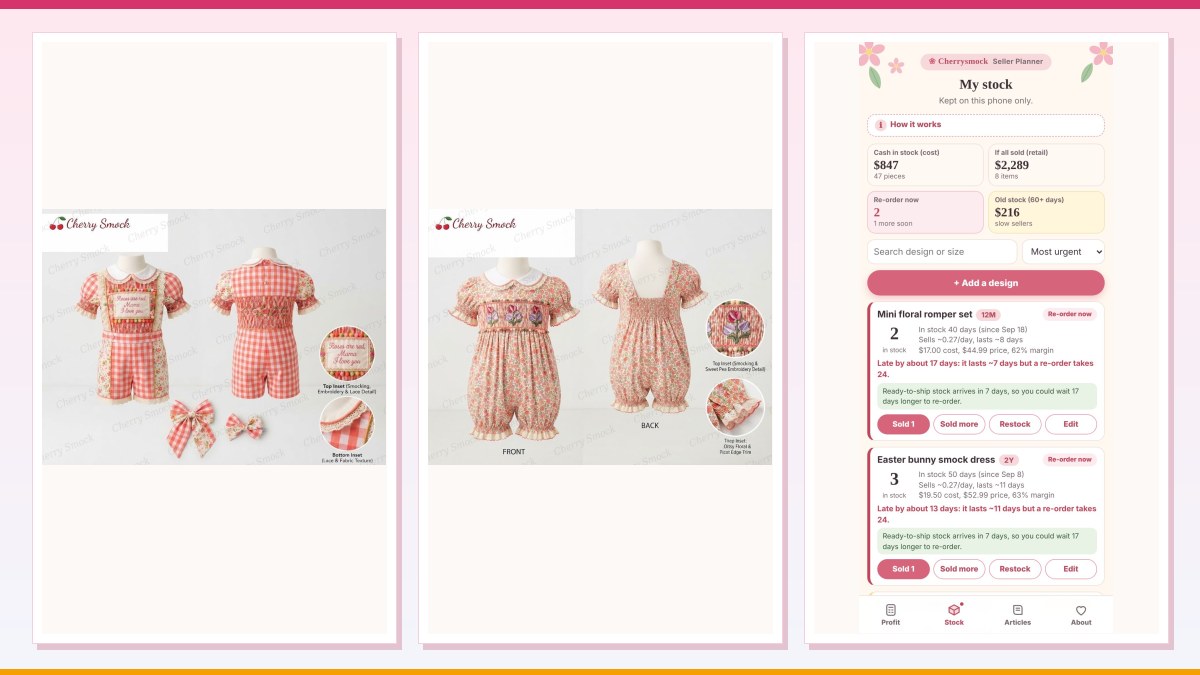
Get the price list on WhatsAppCherrysmock hand-smocked designs are ordered in lots of 30 pieces per design with sizes from 3M to 8Y mixed. That means you decide the size curve for every lot. This guide shows how, with numbers.

Why the size curve matters more than the design
A design that sells out in sizes 2Y and 3Y but leaves 7Y and 8Y on the shelf is not a failure of the design; it is a failure of the size curve. Dead stock in kids clothing is often a size problem, because a leftover 8Y dress will not fit a customer who wanted a 2Y. See our guide to clearing dead stock when it has already happened.
The method in four steps
- List sales by size for the last 12 months, grouped as 3M to 12M, 18M to 3Y, 4Y to 6Y and 7Y to 8Y.
- Convert to shares. Divide each group by total pieces sold.
- Multiply by 30 and round each group to the nearest whole piece.
- Fix the total. If rounding makes 29 or 31, add or remove one piece from the largest group.
Three worked size curves for a 30-piece lot
| Size group | Baby-focused shop | Toddler-focused shop | School-age shop |
|---|---|---|---|
| 3M to 12M | 12 | 6 | 2 |
| 18M to 3Y | 10 | 12 | 6 |
| 4Y to 6Y | 6 | 9 | 13 |
| 7Y to 8Y | 2 | 3 | 9 |
| Total | 30 | 30 | 30 |
These examples are starting points. A shop that sells many christening and first birthday items will lean toward baby sizes; a flower girl and Easter shop will lean toward 4Y to 8Y. See our guide to flower girl dresses for older sizes.
Adjust the size curve by occasion
| Occasion | Typical lean | Reason |
|---|---|---|
| Christening and first birthday | Smaller sizes | Babies and toddlers |
| Easter and spring | Mid sizes | Family photographs |
| Flower girl and school events | Larger sizes | Older girls |
| Mother’s Day gifts | Mid to large | Gifts for daughters |
Occasion can move 5 to 10 percent of a lot from one group to another; do not move more until you have your own sales data.
Track sell-through by size
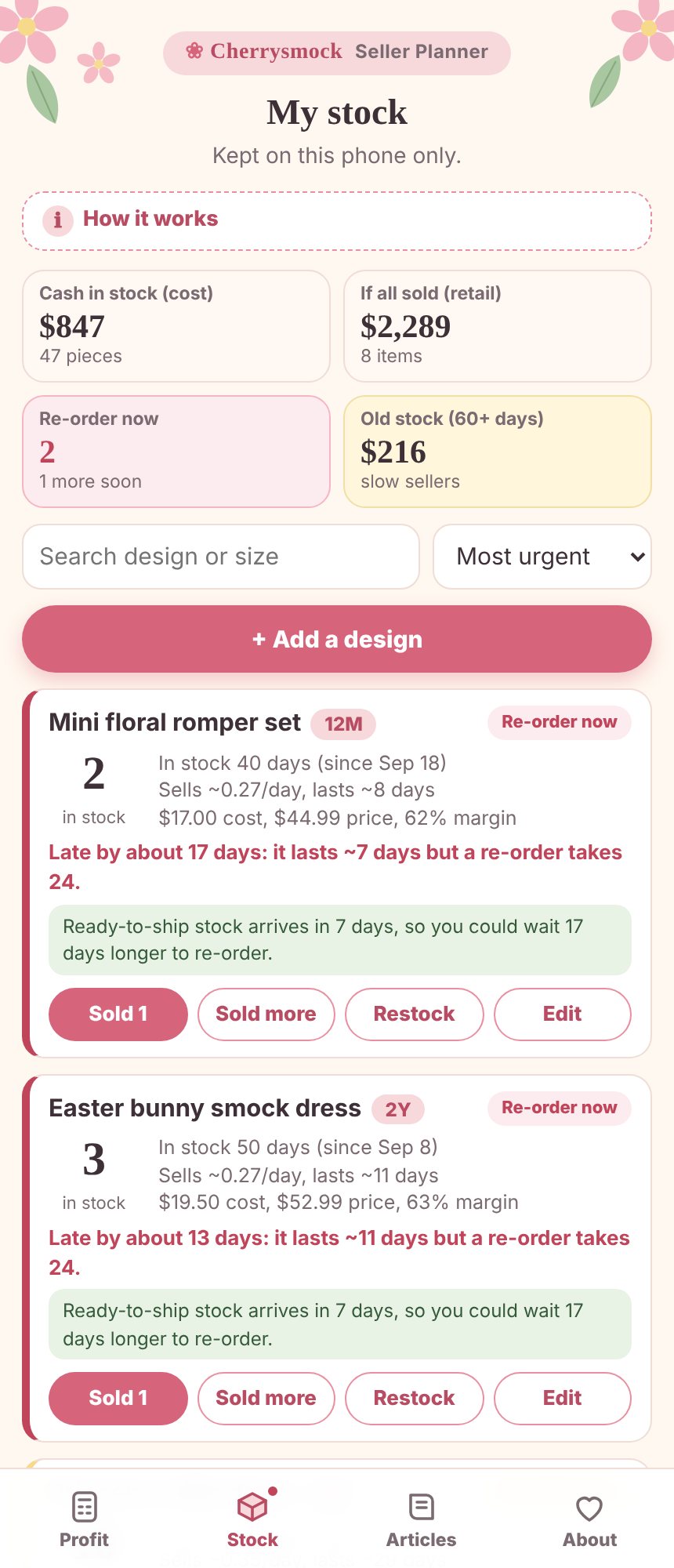
Keep one line per design and size: received, sold and left. In the Cherrysmock Planner stock tab each size is its own line with days of cover, so you can see that a 2Y is nearly gone while a 6Y has a long cover.
Use the size curve for the reorder
When you reorder, do not copy the first lot. Look at which sizes sold first. For ready-to-ship items, which can be reordered with a MOQ of 10 and ship in 5 to 7 days, you can top up the fast sizes in small batches. For hand-smocked group orders, the next lot takes about 24 days to arrive, so build a little extra into the sizes that sell out first. Our guide to the trial order explains how to start.
Common size curve mistakes
- Splitting 30 pieces evenly across every size.
- Ignoring sizes your customers ask for most often.
- Ordering many sizes of the same design when two designs in fewer sizes would sell better.
- Not recording sales by size, so next year you start from zero.
Pair your size curve with an open to buy plan to decide how many lots to order.
Build your own size curve from a sales export
Open a spreadsheet and put the sizes in one column and the units sold in the next. Add a total at the bottom, then a third column that divides each size by the total. Multiply the third column by 30 and round. Check the total again. This takes ten minutes and replaces a guess with your own data. The worksheet download has a size curve sheet that does the rounding and the total check for you.
A size curve for a shop with no sales history
If you are starting out, use the toddler-focused split (6, 12, 9 and 3 pieces) for one design. After 30 days you will have your first real data on which sizes sold. Do not copy the same size curve onto every design; ask the same question again for each new lot, because a christening design and a flower girl design attract different customers.

FAQ
What is a size curve in kids clothing?
A size curve is the share of each size in an order, for example 20 percent in baby sizes, 40 percent in toddler sizes and 40 percent in older sizes.
How do I split a 30-piece lot across sizes?
Use your sales by size group from the last 12 months, convert to percentages, multiply by 30 and adjust to total exactly 30. If you have no history, start toddler-weighted.
Can I order a single size from Cherrysmock?
Hand-smocked designs are ordered as 30 pieces per design with mixed sizes from 3M to 8Y. Ready-to-ship princess dresses and daily sets have a MOQ of 10 per design.
How often should I change my size curve?
Review it every season, using sell-through by size.
Get the right sizes in your next lot
Tell us your best-selling sizes on WhatsApp and we will help you choose a size curve for a 30-piece lot.
Message Cherrysmock on WhatsApp with the styles you are considering, or run your numbers first in the free Cherrysmock Planner, which calculates cost price, selling price, stock and cash for your shop.
Found this useful? Send it to a boutique owner who would use it too.
Keep reading
More guides for boutique owners, picked for you.


Ready-to-ship styles for your boutique
Low MOQ from 10 pcs per style. Ready to ship in 5-7 days.


Tell us your budget and customers. We reply within one business day.
WhatsApp usHow to order